


GPS Tracker: Location Tracking
4.5644.00 Reviews
App Specs
- Version
- 2.11.21-google
- Updated On
- License
- Free
- Downloads
- 5,000,000+
- Developer
- ANKO Solutions LLC
- Categories
- Parenting
- Platform
- Android, iOS
Screenshots

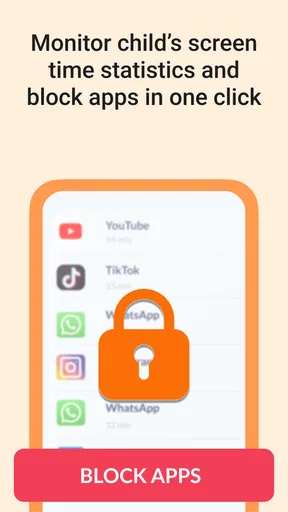
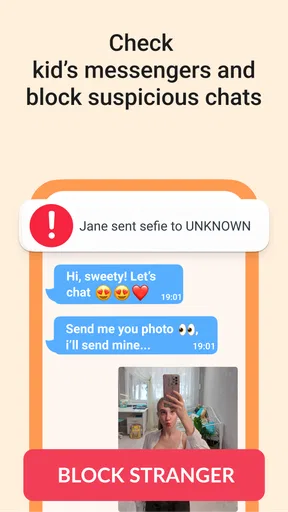
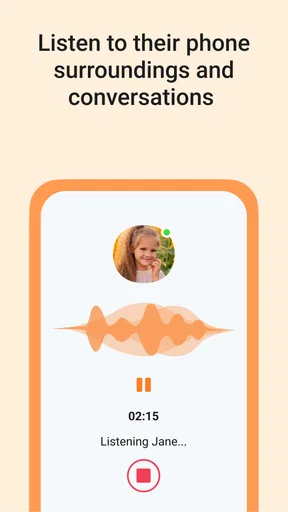
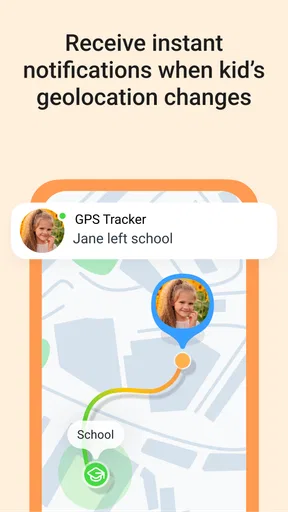
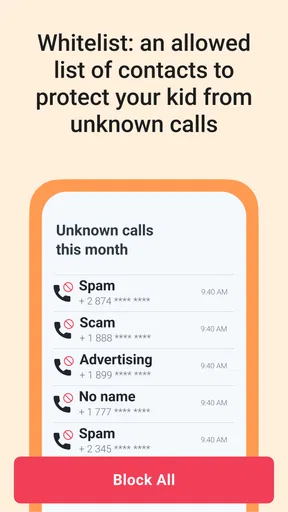
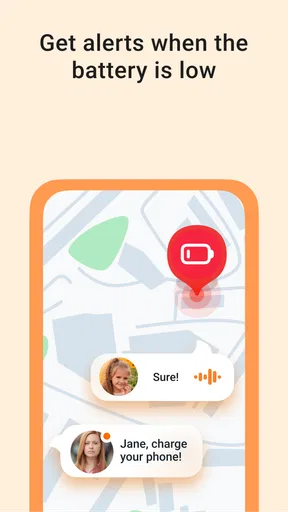
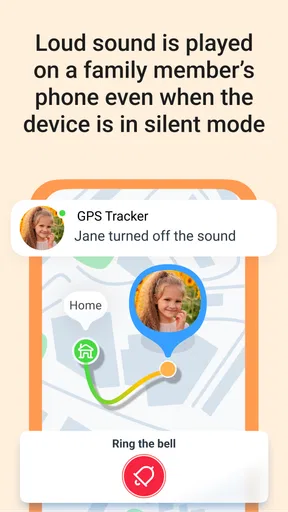
 Analysis by AppCompare
Before installing a family location app, I’d decide what I actually want it to solve. Is the goal to check that a child arrived at a familiar destination, coordinate a pickup, or share whereabouts during a day out? That small bit of clarity makes the first session less overwhelming and helps keep tracking from becoming a habit of checking the map without a reason. GPS Tracker: Location Tracking is aimed at location sharing and parental oversight, so it makes most sense when everyone involved understands why it is being used.
What to expect from a family tracker
This is a parenting app from ANKO Solutions LLC, and its central idea is straightforward: use a map to help a family stay in touch about where people are. I would think of it as a practical coordination aid, not a substitute for calling someone, agreeing on plans, or teaching a child what to do if plans change. A location dot can help answer “Are they near the usual place?” but it cannot explain why someone has stopped moving or whether they are safe.
That distinction matters in ordinary life. A parent waiting for a child after an activity may find a map check useful, while a family expecting uninterrupted, perfectly precise updates could find the experience frustrating. Location readings depend on the phone and its surroundings, and a map view is only one piece of context. I’d use it to guide a sensible follow-up, such as sending a message, rather than treat it as proof of what is happening.
The app has a 4.4 average from around 103,000 ratings, which suggests many people find this kind of tool useful, though ratings can’t tell you whether it fits your family’s routines. It is free to install, with in-app purchases listed from $0.49 to $349.99 per item, so I’d check the purchase details carefully before confirming anything. The age rating is Everyone, but that does not remove the need for a parent to explain location sharing and set expectations with a child.
Getting Started with GPS Tracker
First things first, getting the app up and running is a breeze. You just need to download it from your app store, and voila! You’re ready to go. The interface is pretty intuitive, so even if you’re not tech-savvy, you’ll find your way around it without a hitch.
Make the first setup a family agreement
For a calmer start, I’d install it on the phones that need to participate, then take a few minutes together to decide who will share location and who will view it. Don’t rush through the prompts just to reach the map: read each screen, choose the settings that match your family’s comfort level, and make sure the people being tracked know what the app is for. A child who understands “I’m checking that you arrived” is less likely to experience it as secret surveillance.
One practical tip is to test the setup while everyone is together, rather than waiting until a stressful pickup. Confirm that the intended family members can see the right map information, and agree on a simple way to handle a confusing result. If a location looks old or unexpected, the first response can be to contact the person, not to assume the worst. This basic rehearsal is more useful than discovering a setup issue when someone is already late.
Worth Reading Before You Choose

Baby Panda World Brings Quick Play to Modern Phones, but Its Game Library Feels Busy

ESPN’s Live Game View Makes Following Close Games Easier

QuizzLand Review: A Good Fit for Short Trivia Breaks, Not Every Player

Basketball Stars: Multiplayer Is Fast, but Can It Recover When Matches Go Wrong?

WEBTOON Turns Phone Updates Into a Better Reading Routine

Link to Windows Runs on Shared Habits, Not Social Feeds
GPS Tracker: Location Tracking is listed as free, but optional purchases can make the price range broad. I would treat any upgrade prompt as a decision to revisit, not something to accept automatically during setup. The app runs on Android 8.0 or later, and its current Android version is 2.10.57-google. It has more than 1 million installs, so it is an established option, but that alone does not tell me whether its workflow suits a particular household.
Features That Stand Out
One of the coolest things about GPS Tracker: Location Tracking is its real-time location sharing. You can literally see where your friends or family members are at any given time. It’s like having your very own map where you’re the cartographer.
Another feature I absolutely love is the geofencing option. You can set up virtual boundaries around certain areas, and the app will notify you when someone enters or leaves those zones. It’s super handy if you want to know when your kid gets to school or when they leave.
Turn the map into a useful routine
The first meaningful success is not simply seeing a dot; it is using that information to make one ordinary task easier. For example, if a child usually travels from home to school, you can use the map or a boundary notification as a prompt to check whether the routine appears to be going as expected. If the child arrives, there may be no need for repeated “Where are you?” messages. If the notification does not come through, a quick call or text gives you context the map cannot provide.
Geofencing is most helpful when the boundary represents a real decision point. I’d begin with one familiar place, such as school, rather than drawing boundaries around every stop in a child’s day. Too many alerts can turn a useful signal into background noise, and then it becomes easier to ignore the one notification that matters. A small, purposeful setup is often more reassuring than constant monitoring.
A realistic use case is a parent finishing work while a child leaves an after-school activity. Instead of asking for a series of updates, the parent can check the shared location and use an arrival or departure alert as a cue to coordinate the next step. If traffic, a changed plan, or a dead phone battery gets in the way, the family still needs its usual backup plan. The app can reduce routine uncertainty; it cannot manage the pickup by itself.
User Experience and Interface
Navigating through the app is smooth sailing. The design is clean and clutter-free, which makes it easy to focus on what’s important: the tracking. Every option is just a tap away, and the responsiveness is top-notch.
The app also offers a history feature, letting you check past routes. This can be particularly useful for keeping track of your travel history or for those who are a bit forgetful like me!
How it compares with the usual alternatives
Compared with texting someone to ask where they are, a shared map can save repeated check-ins when both people have agreed to use it. Compared with a broad family coordination app, this one’s appeal is its focus on location and parental control rather than being a general place for calendars, chores, or family messages. If your household mainly needs reminders and scheduling, a shared calendar may be a better fit. If you only need to coordinate a single meetup, a one-off message may be simpler than keeping location sharing active.
Route history has a different role from live checking. It can help a parent discuss a repeated journey or understand a routine after the fact, but I would not use past routes as a way to interrogate every detour. A useful approach is to look at history only when there is a clear reason, such as resolving a misunderstanding about a pickup or helping a child plan a familiar trip. That keeps the feature practical instead of making ordinary movement feel like a performance review.
Common confusion and sensible limits
One common source of confusion is expecting an app to answer more than a location question. A map may show where a phone appears to be, but it cannot tell you who is holding it, why the person is there, or whether they need help. If a location seems wrong, I’d check in directly and consider ordinary explanations before drawing conclusions. Phone settings, connectivity, and the surrounding environment can all affect what a location tool displays.
Another question families often have is whether location sharing should stay on all the time. I’d make that a household choice, based on the child’s age, the reason for tracking, and everyone’s comfort. Explain when you expect to look, who can view the information, and how you’ll handle mistakes. The app’s privacy controls are useful only if the family also agrees on boundaries around their use.
Privacy deserves more than a quick reassurance. The original app experience presents location sharing and privacy settings, but I would still review the controls on the devices being used and avoid sharing access casually. A family tracker holds sensitive information by its nature. Keep the circle of viewers limited to people who genuinely need it, and revisit that choice if family circumstances change.
Battery and data expectations are also worth thinking through before relying on any phone-based tracking routine. I wouldn’t assume a phone will always be reachable or that a map will refresh exactly when a parent wants it to. Encourage children to keep their phone charged and make a backup plan for situations when it is unavailable. That could be as simple as agreeing on a meeting point or asking an adult at the activity for help.
Who will get the most from it
I can see this being a good fit for parents who want a simple way to coordinate familiar trips and who are comfortable discussing location sharing openly. It may also suit families with changing pickup plans, where checking a location is more convenient than sending several messages. The benefit is greatest when the app supports a routine the family already understands, rather than becoming the routine itself.
I would skip it if the people involved do not consent to sharing, if you want a tool for covert monitoring, or if your main need is emergency response. A location tracker is not an emergency service and should not be treated as one. It may also be the wrong choice for someone who finds frequent location checking stressful; a scheduled check-in or shared meeting point may provide enough reassurance with less monitoring.
The app is rated for Everyone, but families still need to make an age-appropriate decision about using it. Younger children may need a parent to explain the map and alerts, while older children may reasonably want a clear conversation about privacy and independence. I’d frame it as a practical safety agreement with limits, not as a test of trust.
Safety and Privacy
Now, I know what you’re thinking: "Is my data safe?" Short answer: yes. The app developers have put a lot of thought into ensuring that your location data is secure. They use encryption to protect your information, so you don’t have to worry about any prying eyes.
You can also control who sees your location. The app lets you customize your privacy settings, so you can share your location with select individuals or keep it to yourself.
When a different approach is better
If everyone in the family already uses another trusted location-sharing option and it covers the specific coordination problem, switching may add needless friction. Each additional app means another setup to explain and another place to check. I’d compare the actual task, not just the feature list: do you need ongoing family visibility, a route record, or simply a message when someone arrives? Choose the lightest tool that reliably answers that question.
People who prefer not to share continuous location can still coordinate with scheduled calls or arrival texts. Those methods require more effort from the person travelling, but they can offer more control over when information is shared. GPS tracking is most valuable when the convenience is worth that trade-off to everyone involved, not merely to the person checking the map.
Is It Worth It?
In my opinion, GPS Tracker: Location Tracking is a gem of an app, especially for those who prioritize safety and connectivity. Whether you’re a parent wanting to keep track of your kids or someone who loves outdoor adventures and needs a reliable way to share your location, this app has got your back.
It’s like having an invisible thread that ties you to your loved ones, ensuring you’re never too far away. Plus, the peace of mind it offers is priceless.
So, if you’re looking for a reliable, user-friendly, and secure tracking app, give this one a shot. You might just find it becoming an indispensable part of your digital toolkit.
Feel free to download it from the link on our website and see for yourself how it can transform the way you stay connected with those who matter most. Happy tracking!
My practical recommendation
I’d start with one shared device, one familiar destination, and one clear purpose. Try the routine while you are together, decide what you will do if the map or an alert is confusing, and only then decide whether the setup genuinely reduces stress. This gives a first-time user a concrete way to judge the app without turning every trip into a tracking exercise.
Overall, the strongest case for this parenting app is steady, agreed-upon coordination: checking a familiar route, reducing unnecessary check-in messages, or knowing when to follow up after an expected arrival. Its limits are equally important. It cannot explain a person’s choices, guarantee that a phone is reachable, or replace a direct conversation. Used with clear boundaries, it can be a helpful extra layer; used as a substitute for trust or communication, it is not the right answer.
Pros
- Accurate real-time location updates.
- User-friendly interface for easy navigation.
- Supports multiple device tracking.
- Customizable alerts for location changes.
- Low battery consumption during use.
Cons
- Requires constant internet connection.
- Limited features in free version.
- Some features need manual setup.
- Occasional GPS signal loss in buildings.
- Privacy concerns with continuous tracking.
FAQs for GPS Tracker: Location Tracking
How accurate is the GPS Tracker in different environments?
The GPS Tracker offers high accuracy in most environments, including urban areas and open spaces. However, in densely populated regions or indoors, accuracy may vary due to potential signal interference from buildings or obstacles. It's advisable to test the app in different locations to understand its performance under various conditions.
Is the GPS Tracker app secure and does it protect user privacy?
Yes, the GPS Tracker app prioritizes user privacy by implementing robust security measures. The app only collects necessary data and offers encryption to safeguard personal information. Users can also customize privacy settings to control who can access their location data, ensuring a secure tracking experience.
Does the app consume a lot of battery power?
While GPS tracking apps typically use battery power due to continuous location updates, the GPS Tracker app is optimized for efficiency. It includes a battery-saving mode that minimizes usage without compromising on accuracy. Users can adjust update intervals and enable low-power settings to extend battery life further.
Can I track multiple devices simultaneously with the GPS Tracker?
Yes, the GPS Tracker allows you to track multiple devices simultaneously. This feature is particularly useful for families or teams who need to monitor various members. Users can add devices through the app interface, and each device's location can be viewed in real-time on a single map.
Is an internet connection required for the GPS Tracker to function?
An internet connection is required for real-time location sharing and map updates. However, the app can still record location data offline, which will sync once the device reconnects to the internet. This ensures continuous tracking even in areas with limited connectivity.


